
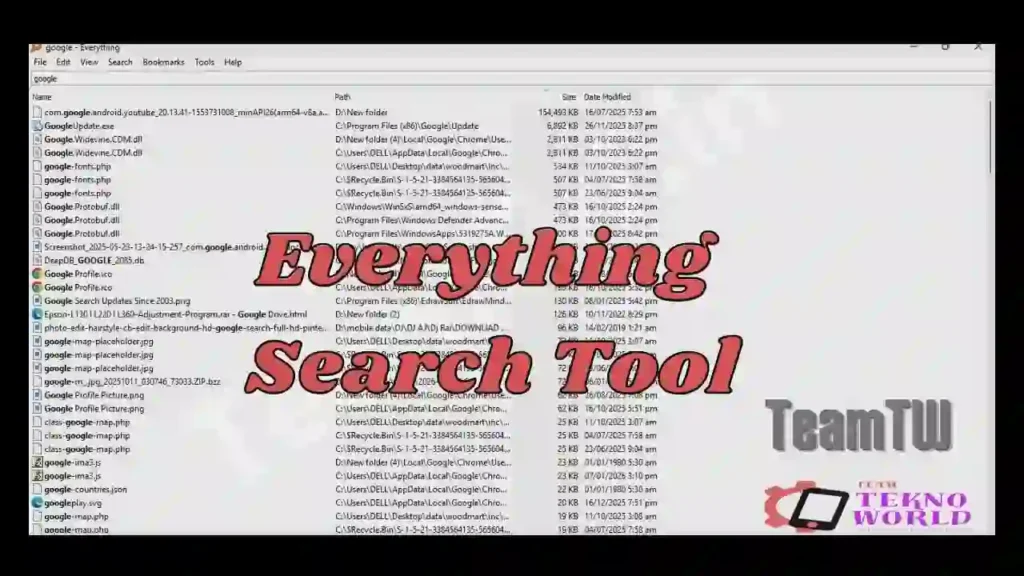
Agar aap Windows PC ya Laptop use karte hain aur files dhundhne mein time waste ho jata hai, toh aap akela nahi ho. Mobile technicians, software users aur power users ke system mein hazaron files, folders, firmware, photos, PDFs aur backups hote hain. Windows ka default search in sabko dhundhne mein slow, unreliable aur frustrating ho jata hai.
Isi problem ka perfect solution hai Everything Search Tool.
Is master guide mein hum Everything Search Tool ko technician-level mein samjhenge – jaise ek senior technician apne junior ko samjhata hai. Is article ke baad aap samajh jaoge:
- Everything Search Tool kya hai
- Windows search se yeh kyun better hai
- Download, installation aur usage ka proper method
- Advanced tips, filters aur troubleshooting
🔍 Everything Search Tool kya hai?
Everything Search Tool ek freeware Windows utility software hai jo aapke computer ke sabhi files aur folders ko lightning-fast speed se search karta hai – sirf naam type karne se.
Is tool ka naam bilkul accurate hai:
👉 “Everything” = har file, har folder, turant result
Simple shabdon mein:
- Windows search → minutes
- Everything Search Tool → milliseconds
Yeh tool file indexing ke ek smart tareeke ka use karta hai, jisse search results instant milte hain – bina system ko hang kiye.
⚙️ Everything Search Tool kaise kaam karta hai?
Jab aap Everything Search Tool ko pehli baar run karte ho:
- Yeh aapke hard drive ke file system ko scan karta hai
- Sirf file aur folder names ka index banata hai
- Index RAM mein lightweight form mein store hota hai
Is process mein:
- 1–2 minute lag sakte hain (first run only)
- CPU ya RAM par heavy load nahi padta
Iske baad jaise hi aap type karte ho, results real-time update hote rehte hain.
⭐ Everything Search Tool ke Top Features
🔹 Instant Search (Main USP)
Ek letter type karte hi matching files list hona shuru.
🔹 Extremely Lightweight
- Setup size ~2 MB
- Background mein quietly kaam karta hai
🔹 Real-Time Update
- Nayi file create / delete / rename hoti hi index update
🔹 Advanced Filters & Sorting
Aap search ko filter kar sakte ho:
- File type:
.jpg,.pdf,.mp3,.zip - Date modified
- Folder path
- Size
🔹 Multiple Drives Support
- C drive
- D drive
- External HDD / SSD
- Network drives (limited support)
🔹 Match Path & Folder Search
Agar aapko sirf thoda sa path ya folder name yaad hai – Everything ka Match Path mode kaafi powerful hai.
🧑🔧 Mobile Repair Technicians ke liye Everything Tool kyun zaroori hai?
Ek mobile technician ke PC mein hota hai:
- Firmware files (GBs mein)
- Flash tools
- Drivers
- Scatter files
- Customer backups
- Photos & invoices
Comparison:
- Windows Search:
- Slow
- Partial results
- Exact word required
- Everything Search Tool:
- Instant
- Partial name se bhi result
- Sort + filter easy
💡 Example:
Aapko ek photo chahiye jo 2015–2016 ke beech save hui thi.
.jpgfilter lagao- Date sort karo
- File mil jaayegi – seconds mein
🛠️ Installation Process (Step-by-Step)
- Download ki hui setup file par double-click kare
- Normal installation steps follow kare
- “Run on startup” option enable rehne de (recommended)
- Finish par click kare
Install hone ke baad:
- Desktop icon se Everything open kare
- First indexing complete hone ka wait kare
▶️ Everything Search Tool kaise use kare?
🔹 Basic Use:
- Search box mein file ka naam type kare
- Partial name bhi kaam karega
cv→ saare CV filesokinawa→ Japan trip photos
🔹 File Type Filter:
*.pdf*.jpg*.zip
🔹 Recently Modified Files:
- Date column se sort kare
- Last downloaded file instantly mil jaati hai
🔹 Explorer jaise Use:
- Right-click → Open / Copy path / Delete
- Shell system menu supported hai
⚠️ Common Problems & Troubleshooting
❌ Search result nahi aa raha?
✔ Check kare:
- NTFS drive hai ya nahi
- Administrator mode required ho sakta hai
❌ Network drive search nahi ho rahi?
✔ Solution:
- Manual indexing enable kare
- Ya local snapshot use kare
❌ File content search chahiye?
❌ Everything content ke andar text search nahi karta
✔ Sirf file name & path based search ke liye best hai
🔐 Kya Everything Search Tool Safe hai?
✔ Haan, bilkul.
- Freeware license
- No ads
- No malware
- No background spying
⚠️ Note:
Team Tekno World ka is software se koi development relation nahi hai.
Hum sirf utility aur performance ke base par recommend karte hai
🧠 Pro Tips (Power Users ke liye)
- Important folder ka index snapshot save kar sakte ho
- Dark mode (alpha builds mein available)
- Keyboard shortcuts use karke speed aur badhao
- Windows Explorer ka replacement ban sakta hai
Download Area
- Official website par jaaye
- Apne system ke hisaab se choose kare:
- Installer 64-bit (most common)
- Installer 32-bit (old PCs)
- Download complete hone ke baad setup run kare
| Detail | Info |
|---|---|
| File Name | Everything Tool |
| Version | Latest |
| OS Support | Windows 7 / 8 / 10 / 11 (32 & 64 bit) |
| Use Case | Fastest Search Tool For Windows |
⚠️ Note: Galat driver flashing se device detect nahi hoga. Carefully use kare.
🔚 Conclusion
Agar aap:
- Windows ke slow search se pareshan ho
- Files ko naam se yaad rakhte ho
- Productivity badhana chahte ho
👉 Everything Search Tool aapke PC ka must-have software hai.
Yeh chhota sa tool:
- Ghanto ka kaam seconds mein karta hai
- System ko slow nahi karta
- Ek baar use karne ke baad Windows Explorer kam padne lagta hai
🔗 Related Guides
- Windows ke liye Best Free Utility Tools
- Mobile Technicians ke liye Essential PC Software
- Firmware Files ko Properly Organize kaise kare
- Mobile Repairing Course (Beginner to Advanced)
Frequently Asked Questions (FAQ)
Q1. Kya Everything Search Tool free hai?
Haan, yeh 100% freeware hai.
Q2. Kya yeh Windows 11 par kaam karta hai?
Haan, Windows 7 se Windows 11 tak supported hai.
Q3. Kya yeh file ke andar ka text search karta hai?
Nahi, sirf file & folder name.
Q4. Kya yeh external hard disk support karta hai?
Haan, NTFS formatted drives par.
Q5. Kya yeh Windows Search ko replace kar sakta hai?
Practically – haan.
Credits & Disclaimer
This article is for educational and informational purposes only.
“Everything Search Tool” is a freeware utility developed by its respective developer.
Team Tekno World is not the developer or owner of this software.
Users are strictly advised to download software only from official sources.
Article compiled, optimized & presented by Rakesh Chauhan – Team Tekno World
