
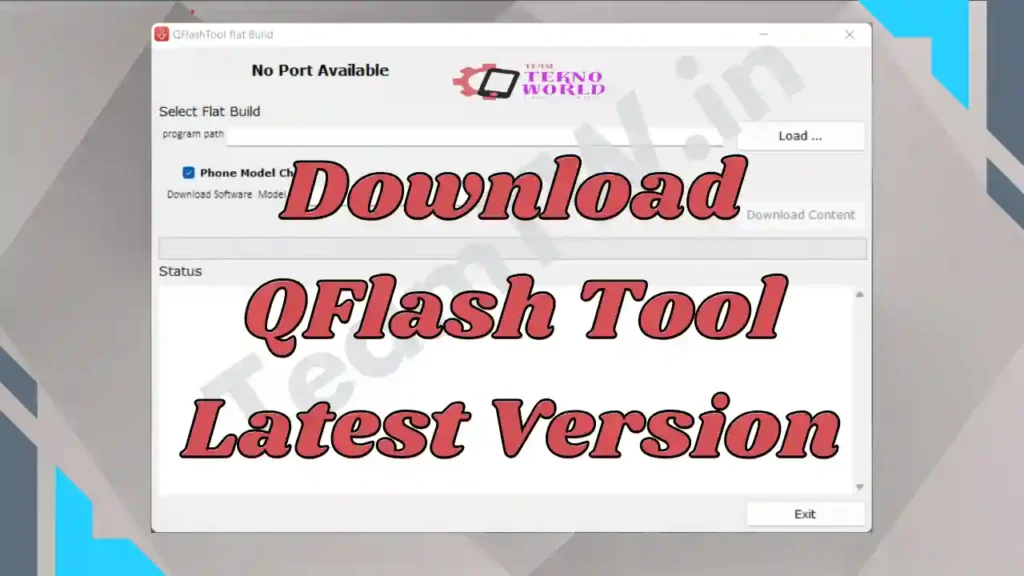
Agar aap Qualcomm chipset based mobile phone me software problem jaise hang on logo, bootloop, dead phone ya firmware corruption face kar rahe hain, to QFlash Tool Download aapke liye ek reliable aur proven solution hai. QFlash Tool specially Qualcomm devices ke liye design kiya gaya ek powerful flashing utility hai jo contents.xml (Meta Build) based firmware ko safely flash karta hai.
Is complete master guide me hum QFlash Tool kya hai, iske features, latest download links, step-by-step flashing process, common errors, aur safety tips sab kuch detail me samjhenge – bilkul us style me jaise ek senior mobile technician apne junior ko training deta hai.
⚠️ Important Disclaimer
This guide is for educational and diagnostic purposes only.
Iska use sirf device connection, firmware flashing aur software troubleshooting ke liye karein.
Hum kisi bhi illegal modification ya security bypass ko promote nahi karte.
What is QFlash Tool? (QFlash Tool Kya Hai)
QFlash Tool ek Windows-based Qualcomm Flash Tool hai jo Qualcomm chipset wale smartphones, feature phones (jaise Jio Phone F220B) aur tablets par stock firmware flash karne ke kaam aata hai.
Ye tool mainly un firmware files ke liye use hota hai jinke andar contents.xml file hoti hai, isliye ise Meta Build Configuration Flash Tool bhi kaha ja sakta hai.
Simple shabdon me:
Jab Qualcomm phone normal flashing tools se flash nahi hota, tab QFlash Tool ka use kiya jata hai.
QFlash Tool Features (Key Highlights)
🔹 Qualcomm Chipset Support
QFlash Tool sirf Qualcomm CPU based devices ke liye design kiya gaya hai – smartphones, feature phones aur tablets sab supported hote hain.
🔹 contents.xml Firmware Support
Ye tool contents.xml (Meta Build) based firmware ko properly read aur flash karta hai, jo kai feature phones aur Jio devices me common hota hai.
🔹 Wide Windows Compatibility
Windows XP se lekar Windows 11 (32-bit / 64-bit) tak QFlash Tool smoothly kaam karta hai.
🔹 Easy Installer Based Tool
QFlash Tool installer format me aata hai, jise use karna beginners ke liye bhi easy hota hai.
🔹 Best for Jio Phone Flashing
Jio Phone models jaise F220B, F90M ke liye QFlash Tool For jio Phone ek trusted flashing solution mana jata hai.
Important Requirements Before Flashing
Flashing start karne se pehle in requirements ko ignore bilkul bhi na karein:
- ✔ Qualcomm USB Driver properly installed hona chahiye
- ✔ Firmware folder me contents.xml file available honi chahiye
- ✔ Windows PC / Laptop required
- ✔ Original ya high-quality USB cable use karein
- ✔ Laptop me flashing ke time battery backup ensure karein
⚠️ Galat setup ke saath flashing karna device ko permanently dead kar sakta hai.
How to Install & Use QFlash Tool (Step-by-Step)
🔹 Step 1: QFlash Tool Install / Open Kare
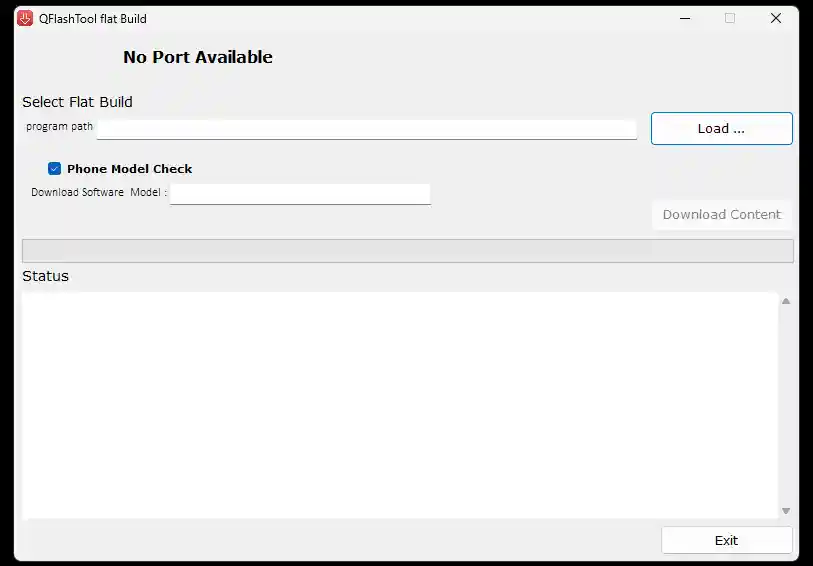
Latest QFlash Tool Download karke QFlashTool_9.1.7.exe file par double-click karein aur installation complete hone dein.
🔹 Step 2: Qualcomm USB Driver Install Karein
Driver install karne ke baad phone ko PC se connect karein.
Device Manager me agar Qualcomm HS-USB Diagnostics 9008 show hota hai, to driver properly working hai.
🔹 Step 3: Phone ko EDL / Boot Mode me Connect Karein
Feature phones me usually boot key ( * + # ) press karke phone ko PC se connect kiya jata hai.
🔹 Step 4: Load Content (Firmware)
- QFlash Tool open karein
- Load Content par click karein
- Firmware folder se contents.xml file select karein
🔹 Step 5: Flashing Start Karein
Jaise hi port detect hota hai, Download Content button enable ho jata hai.
Button par click karein aur flashing complete hone tak wait karein.
🔹 Step 6: Finish & Reboot
- Flashing complete hone ke baad phone disconnect karein
- Battery nikaal kar dobara lagayein
- Phone ON karein
✅ Flashing Successfully Completed!
Supported Devices
- ✔ Jio Phone F220B / F90M
- ✔ All Qualcomm chipset based smartphones
- ✔ Qualcomm feature phones & tablets
Common Errors & Troubleshooting
❌ Tool Device Detect Nahi Kar Raha
✔ Qualcomm USB Driver reinstall karein
✔ USB cable / port change karein
❌ Download Content Button Enable Nahi Ho Raha
✔ Phone correct boot key ke saath connect karein
✔ contents.xml file verify karein
❌ Flashing Fail / Stuck
✔ Antivirus temporarily disable karein
✔ Latest QFlash Tool version use karein
Download Area – QFlash Tool Download
Qflash Tool Download kaha se kare, to niche Qflash tool Download karne ke Button diye gaye jis version ka chahiye wo download kar sakte hai
| Detail | Info |
|---|---|
| File Name | QFlash Tool |
| Version | Latest |
| OS Support | Windows 7 / 8 / 10 / 11 (32 & 64 bit) |
| Use Case | Flashing, Firmware Install, Device Detection |
QFlash Tool v6.1.3 – Old
QFlash Tool v5.0.2 – Legacy
⚠️ Note: Galat driver flashing se device detect nahi hoga. Carefully use kare.
👉 Tip: Hamesha Qflash Tool latest version (v9.1.7) use karein for better compatibility aur fewer errors.
Uper diye gaye links se aap QFlash Tool Download safely Windows ke liye kar sakte hain.
Conclusion
QFlash Tool Download Qualcomm chipset devices ke liye ek trusted, powerful aur practical flashing solution hai, khas kar un phones ke liye jo contents.xml firmware use karte hain. Agar aap mobile repairing field me hain ya Jio Phone flashing karte hain, to QFlash Tool aapke toolkit ka important part hona chahiye.
Hamesha yaad rakhein – correct firmware + correct driver + patience = successful flashing.
Related Guides
- Qualcomm USB Driver Download Guide
- SPD Research Tool Download
- Stock ROM Flashing Basics
Frequently Asked Questions (FAQ)
Q.1 QFlash Tool kya hai?
QFlash Tool ek Windows based flashing tool hai jo Qualcomm chipset wali devices par stock firmware ya ROM install karne ke liye use hota hai.
Q.2 QFlash Tool ka use kaise karte hain?
Tool install karke, firmware folder ko Load Content me select karke aur device ko EDL mode me connect karke flash process start kiya ja sakta hai.
Q.3 Kya QFlash Tool sabhi Qualcomm devices par kaam karta hai?
Haan, Ye Tool major Qualcomm chipset devices (phones/tablets) par firmware flashing ke liye support karta hai, bas correct stock firmware aur drivers installed hone chahiye.
Q.4 QFlash Tool safely use kaise karein?
Qualcomm USB drivers install karein
Sirf matching firmware use karein
Flashing ke beech phone disconnect na karein
Q.5 QFlash Tool download karein kahaan se?
Tool ke latest versions official tool pages ya Humare download section kar sakte hain — link safe aur malware free hai.
Credits & Disclaimer
QFlash Tool Qualcomm devices ke liye design ki gayi flashing utility hai. Ye guide sirf educational & technical purpose ke liye hai. Galat flashing se hone wale damage ke liye Team Tekno World zimmedar nahi hoga.
Article compiled, optimized & presented by Rakesh Chauhan – Team Tekno World

Pingback: Vivo USB Drivers: Connecting Your Phone to Your PC Made Easy -